
How to find financial investors in Datafinder
Find private equity firms, family offices and search funds.

Contents
The financial investor search in Datafinder gives you a fast, structured way to research financial investors such as private equity firms, family offices and search funds. You can find specific investors by name or via a keyword search, and then narrow down the results using filters for investor type, transaction motives, stake size and HQ country. The results can be displayed in either a profile view or a table view and exported if required. This allows you to identify and compare suitable buyers and prepare them for use in longlists, market analyses or outreach.
Getting started with the search
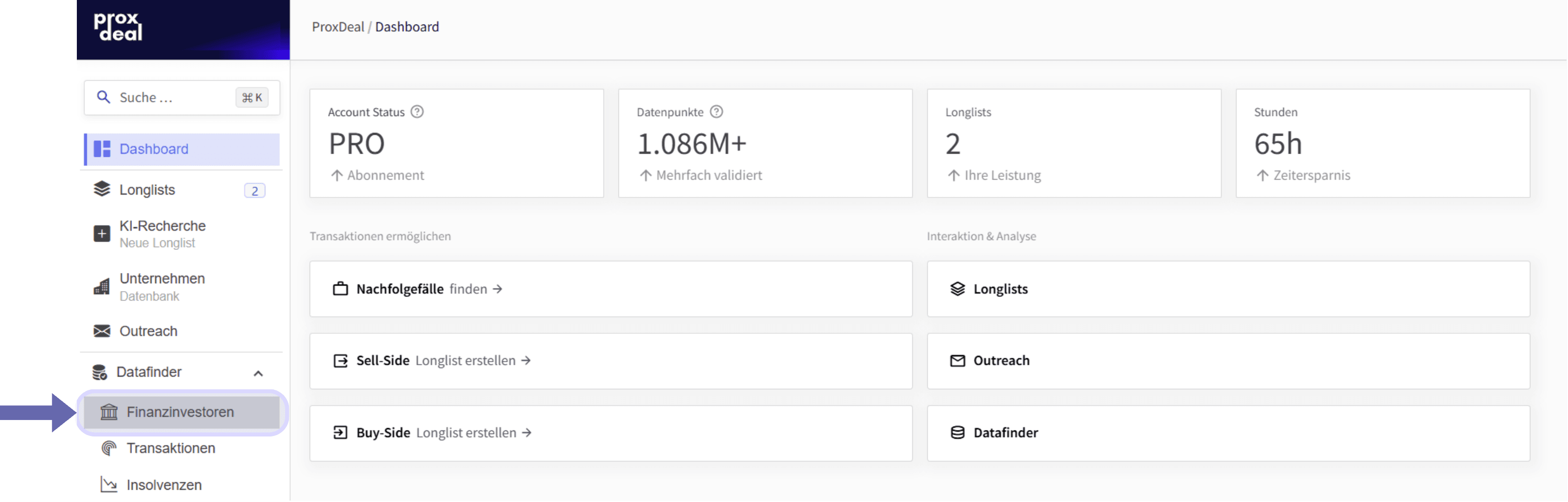
To start the financial investor search, expand Datafinder and select ‘Financial investors’ in the left-hand sidebar.
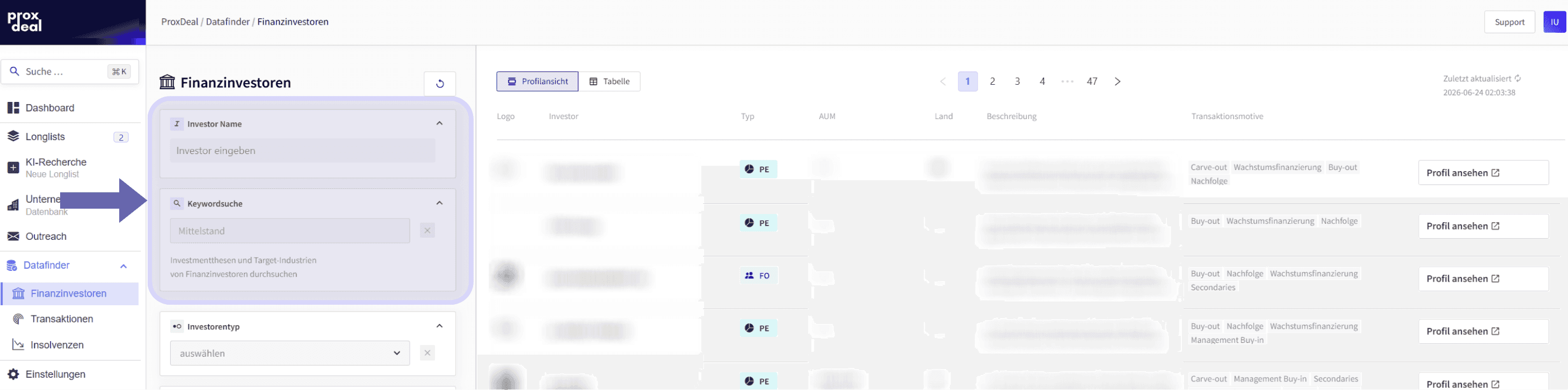
Two different search fields are available to get you started. You can use the ‘Investor Name’ field to search for an investor you already know. Alternatively, the keyword search lets you research by topic, searching across investors’ areas of focus and descriptions.
Filter options
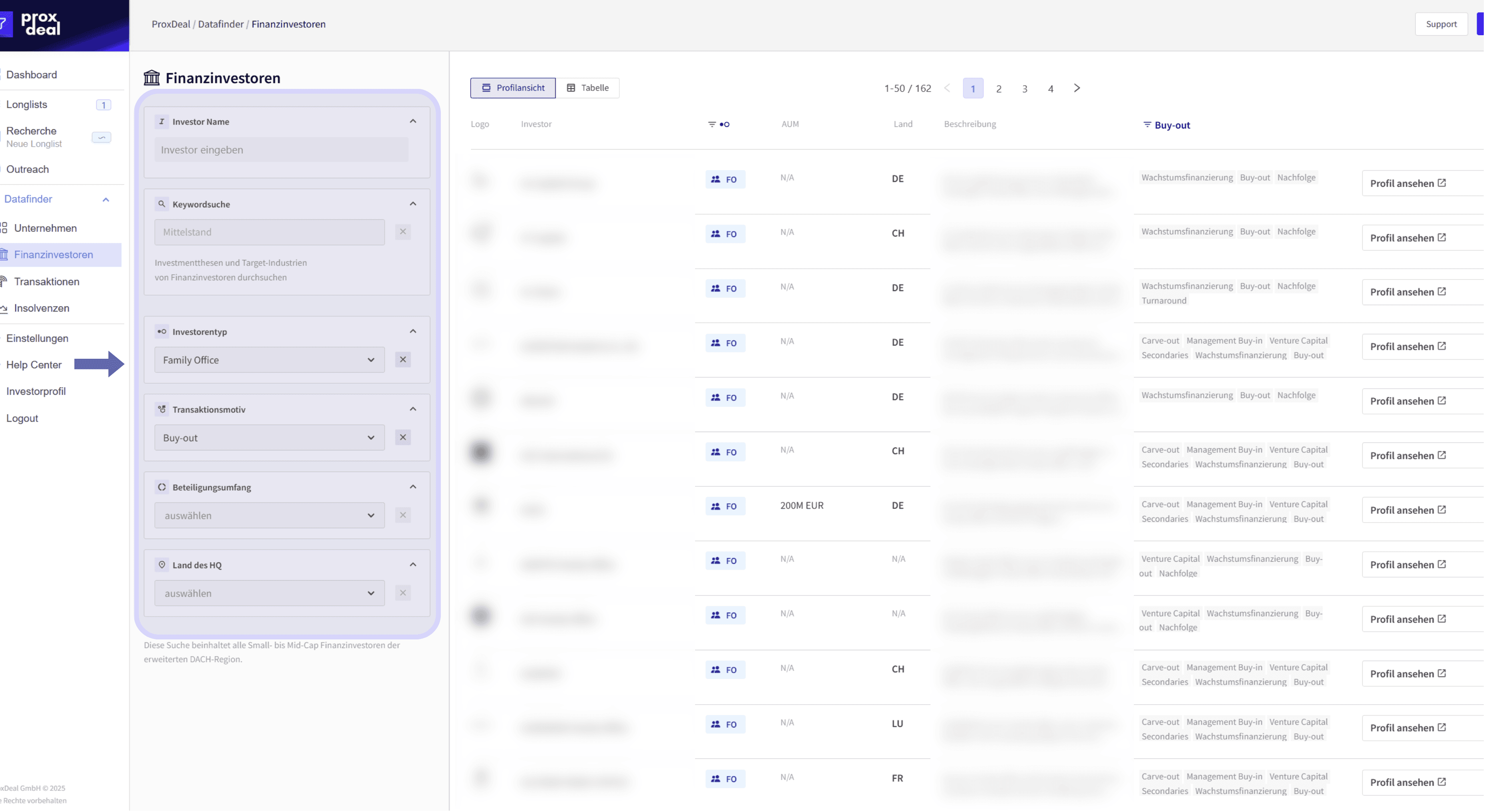
Several dropdown filters are available to help you narrow down your results more precisely. You can either select a value from the dropdown or type to search for it, and then remove it again by clicking the ‘x’.
The filters relate to the investors’ key characteristics and include:
- Investor type
- Transaction motive
- Stake size
- HQ country
Results and views
You can display the investors you find in either a profile view or a table view.
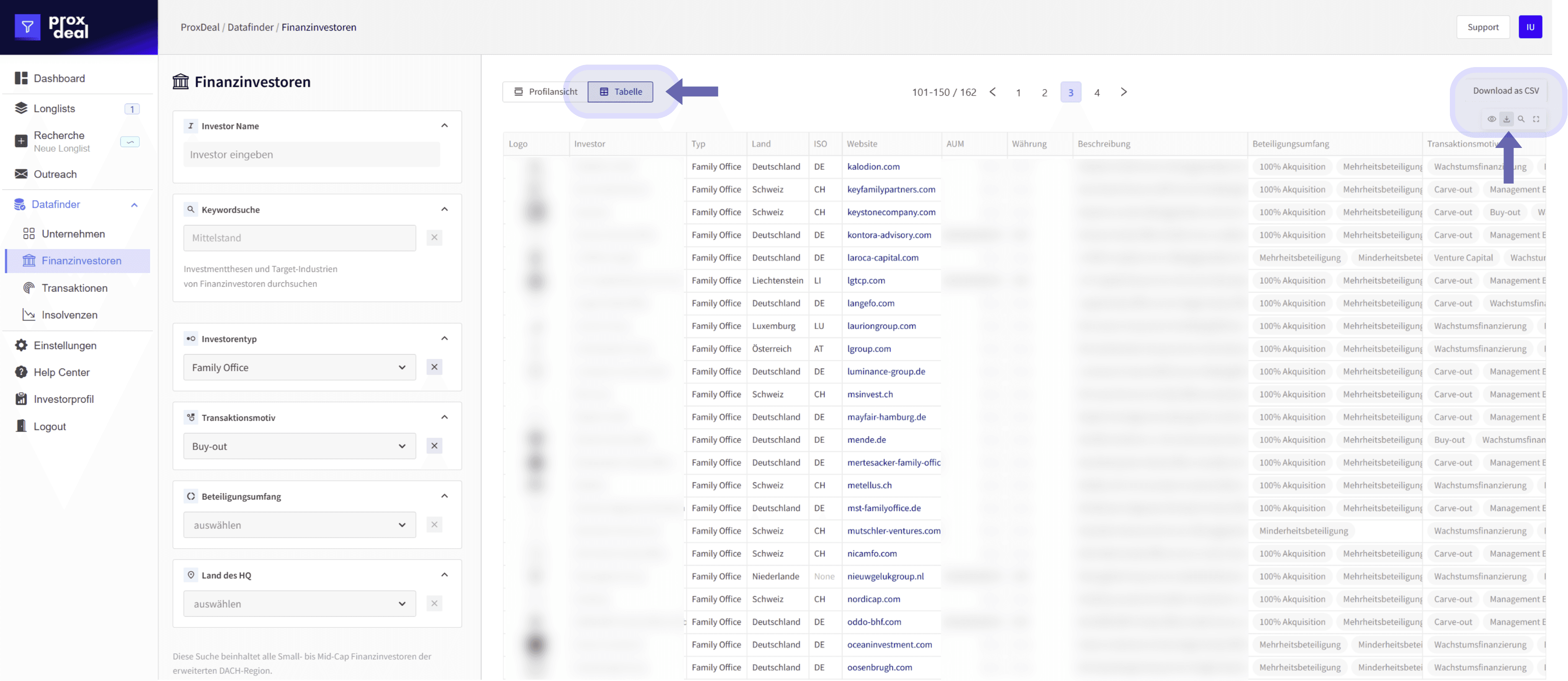
The table view presents the results in a consistent structure that makes them easy to compare. Depending on the context, you can then export the table as a CSV file for further processing.
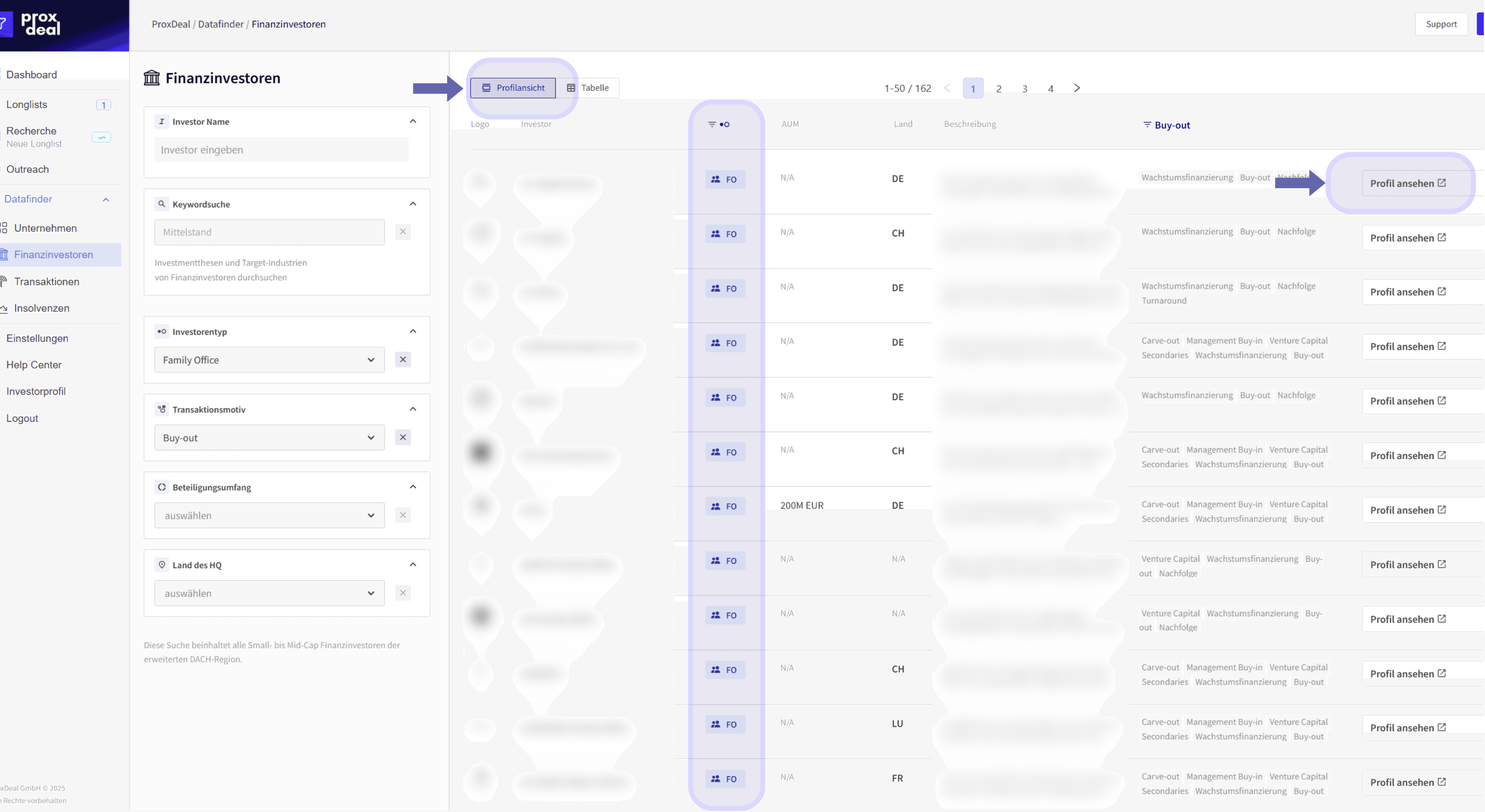
In the profile view, investors are listed as results showing their type, country and a short description, with their transaction motives displayed as tags. Clicking ‘View profile’ opens the investor’s detailed view.
The financial investor profile
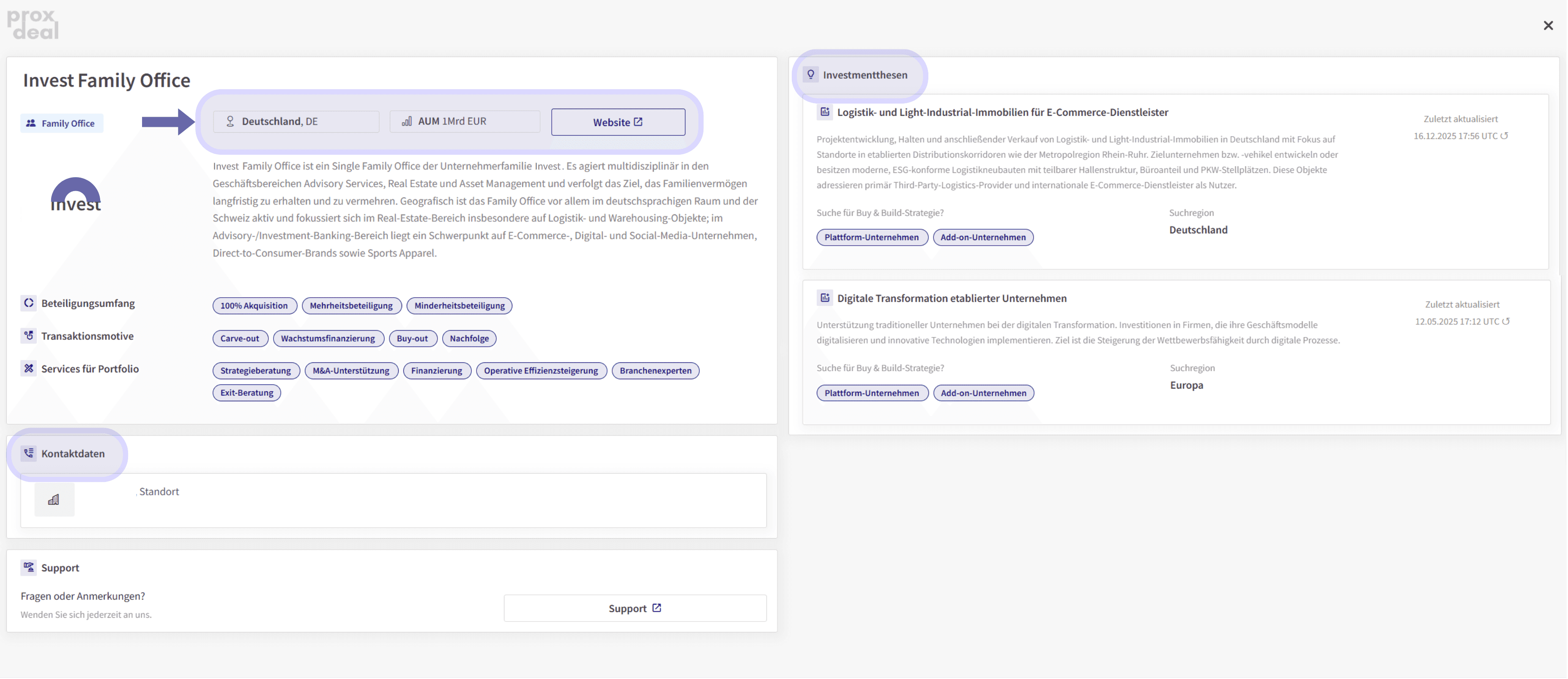
Clicking ‘View profile’ opens the detailed view. The left-hand section summarises the investor’s key information, including the investor type, headquarters country, assets under management, website and a short description. Stake sizes, transaction motives and the portfolio services offered are also shown as tags. Contact details and location information are available here too.
The right-hand section of the profile shows the investor’s investment theses. These describe the investor’s thematic focus areas and search logic, and typically include the name of the investment thesis, a description of what it covers, where it fits within buy-and-build strategies, and the relevant search region, such as DACH or Europe.
Financial investors in sell-side buyer longlists
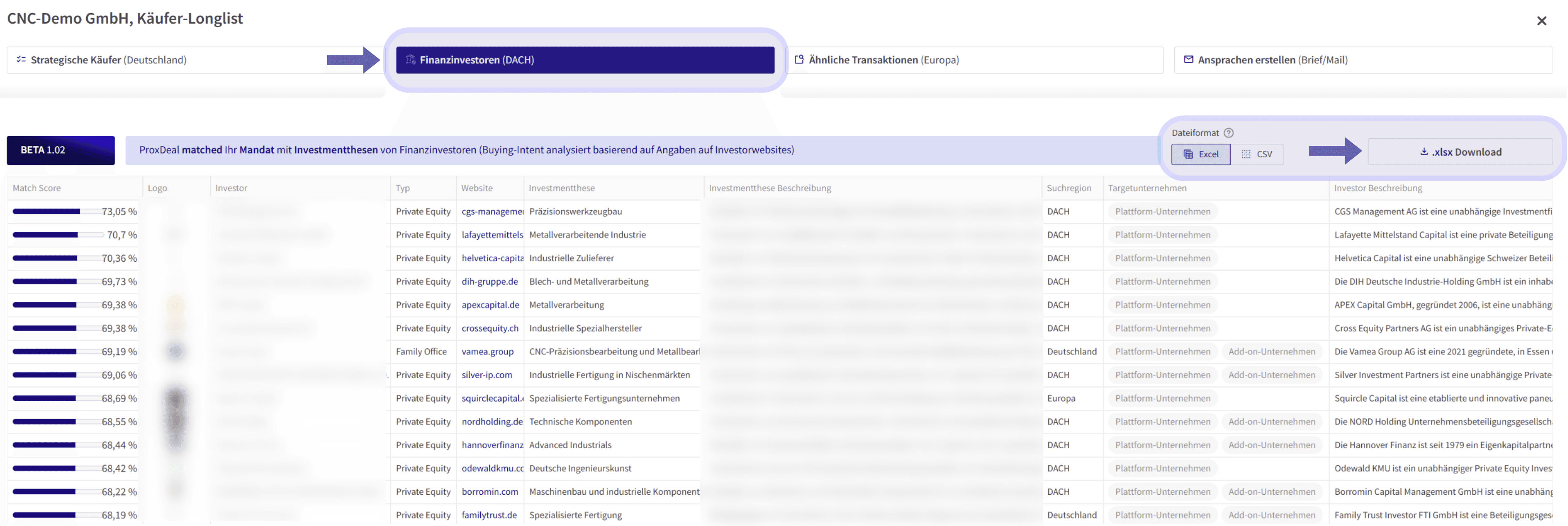
In sell-side searches, financial investors are also shown in the longlist in a separate ‘Financial investors (DACH)’ tab. ProxDeal matches the short description from your sell-side search against financial investors’ investment theses and sorts the results by match score.
From this view, you can export the matching financial investors directly as an Excel or CSV file, ready to feed into CRM systems, pipeline lists or outreach processes.
Benefits of the financial investor search
The financial investor search lets you identify relevant financial investors quickly and reliably. You benefit from clear filter options for investor type, transaction motives, stake size and HQ country, as well as the flexibility of switching between profile and table views. The detailed profiles provide structured information on investment theses, buy-and-build logic (platform/add-on), contact details and portfolio services. And because financial investors are integrated as a separate tab in sell-side buyer longlists, complete with match score and export, buyer identification becomes significantly more efficient and immediately actionable.
Book your free demo now and experience all the benefits for yourself.
Stay ahead
 Stay ahead
Discover what ProxDeal PRO can do.
ProxDeal is built specifically for the DACH M&A market. Give yourself a decisive competitive edge – starting today.

Related articles
Tutorials
How to find DACH companies
Analyse register data, financial metrics and company profiles in the database.
Tutorials
How to find past M&A transactions
Analyse completed deals across Europe and identify potential buyers.
Tutorials
How to create buy-side longlists
A step-by-step guide to creating a buy-side longlist in ProxDeal, from entering your search criteria to exporting the results to Excel.